Gifting shouldn't mean leaving what you're doing to go do it. Whether you're writing a thank-you email, working a deal in your CRM, or scrolling a candidate's LinkedIn, sending a gift used to mean stopping, opening a new tab, and starting over. Now Goody comes to you.
What the extension can do
- Send a gift from anywhere on the web, right from the tab you're on
- Suggest a relevant gift and message based on the page you're looking at
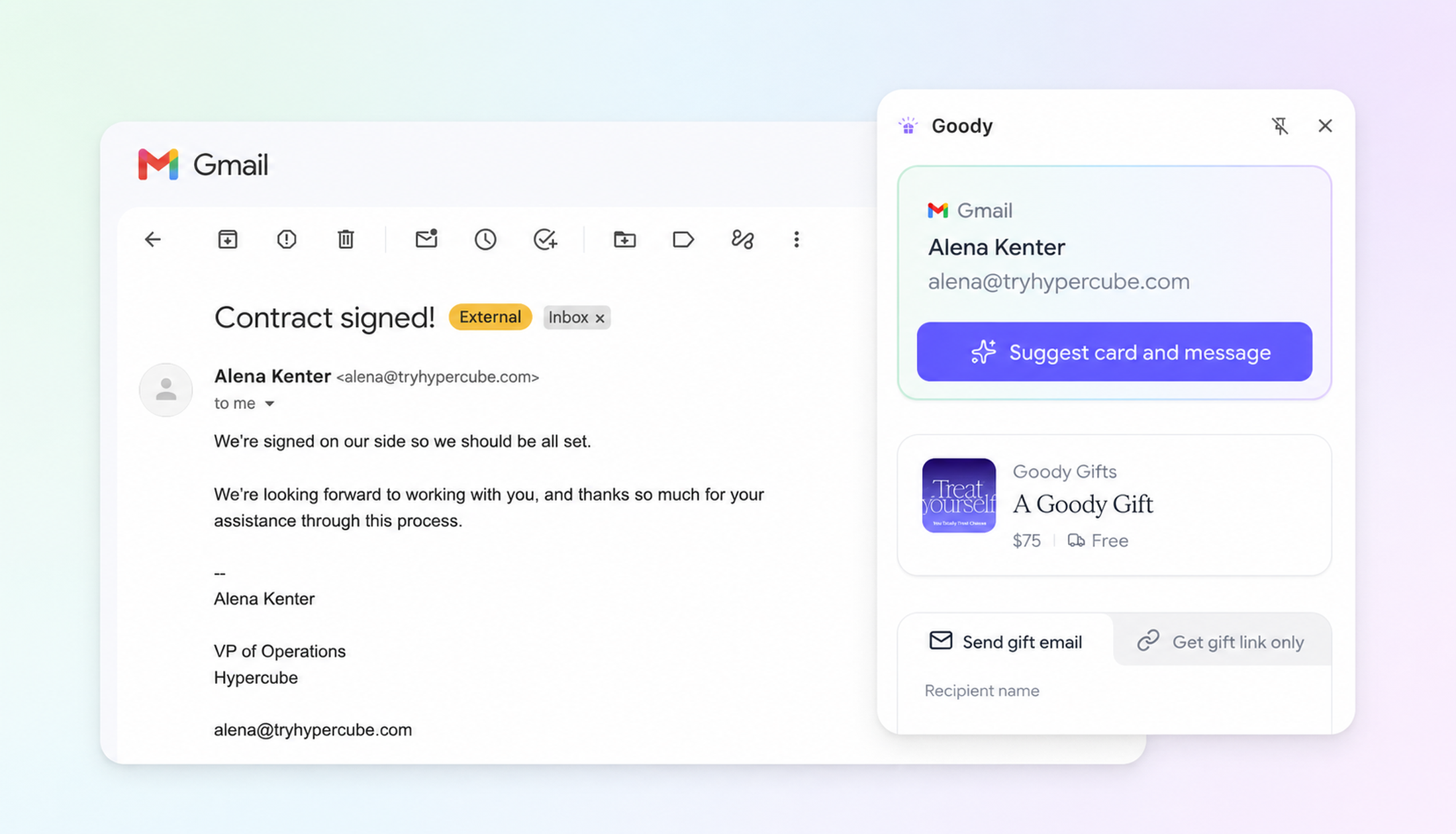
- Pull recipients straight from an open Gmail thread, plus a suggested card and message to match
- Clone a past gift or send from a template in one click, built for anyone who gifts often
- Automatically look up LinkedIn members' emails and send them gifts (available on paid plans)
Open Gmail to say thanks to a client, and the extension already knows who you're emailing. It pulls the recipient straight from the thread and suggests a card and message based on the conversation, so you're not starting from a blank screen. The same idea carries across the rest of your browser: gift from your CRM, LinkedIn, or wherever the moment comes up.
Why we built it
Most of the best gifting moments happen mid-conversation, not on a dedicated "gifting day." A client email you're about to send. A LinkedIn thread with a candidate. A CRM note reminding you it's someone's work anniversary. Making people switch tools to act on that moment kills it.
"The best time to send a gift is right when you think of it," says Mark Bao, co-founder and CTO at Goody. "If you have to stop, switch tabs, and remember to circle back later, a lot of gifts just don't happen. We wanted this to work as fast as the thought does."
How it works
Add the extension from the Chrome Web Store, then click the Goody icon wherever you are on the web. Choose from Goody's marketplace or send a Gift of Choice and let your recipient pick. Send a gift email or grab a shareable gift link. No address required, same as always.
Available now
The Goody Chrome extension is live and free for anyone with a Goody account. To automatically look up LinkedIn members' emails, you'll need a Pro or Team subscription.
Add it to Chrome and start gifting from wherever you already work, your inbox, your CRM, LinkedIn, or anywhere else the moment strikes.
About the author

.png)

-min.png)